
Place the camera safely
Take the camera to the nursery and place it on a stable surface or attach it with the wall bracket. Keep the power cord secured and at least 3 feet away from the crib before you start using it.


System Overview:
Display & Camera:
Nursery Use:
Camera Control:
Audio & Alerts:
Room Monitoring:
Power Modes:
Wireless Connection:
Parent Unit Hardware:
Getting Started:
Multi-Camera Viewing:
Included Parts:
Operating Conditions:
Nursery Placement:
It's time for real steps to know how you can use
Take the camera to the nursery and place it on a stable surface or attach it with the wall bracket. Keep the power cord secured and at least 3 feet away from the crib before you start using it.

Plug in the camera with its power cable and charge or power on the 5-inch parent unit. The camera and monitor are factory paired, so once both units are on, you can check the live view without router setup.

Use the buttons on the parent unit to pan, tilt, or zoom the camera until the crib or sleep area is framed the way you want. This helps you check baby clearly without going back into the room.
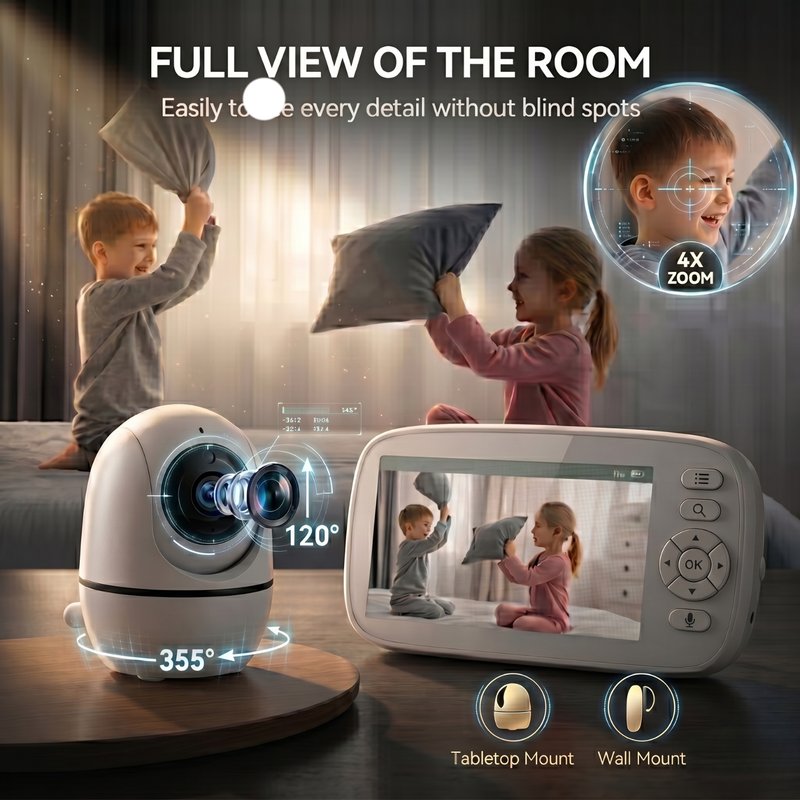
Pick the settings that fit your routine. You can use ECO or VOX mode so the screen sleeps and wakes when sound is detected, or keep the screen on when you want a steady live view.

Keep the parent unit nearby during naps and overnight checks. Use two-way talk when you want to speak into the room, watch in night vision after dark, and recharge the parent unit as needed for longer portable use.
A simpler baby monitor setup focused on offline privacy, longer battery life, and easy everyday use.
| Features | Our Brand | Other Brands Other |
|---|---|---|
| 100% offline 2.4GHz FHSS connection with no Wi-Fi, app, or cloud routing | ||
| Dedicated 5-inch parent unit for direct local monitoring | ||
| 5000mAh parent unit battery with up to 48 hours in ECO/VOX mode | ||
| Physical-button controls for navigation, pan-tilt-zoom, and two-way talk | ||
| 940nm non-visible night vision without a bright red glow | ||
| Split-screen viewing support when two cameras are connected |


Everything you need to know

Your cart is empty
Looks like you haven't added anything yet.


